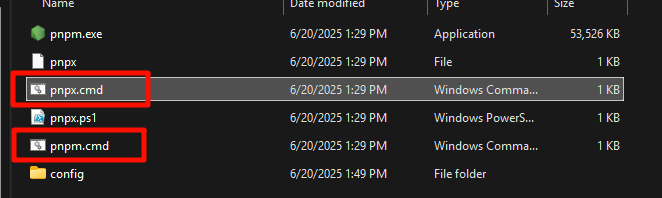

Could not start 'pnpm.cmd'
报错信息
[ERROR] [org.gradle.internal.buildevents.BuildExceptionReporter] Caused by: net.rubygrapefruit.platform.NativeException: **Could not start 'pnpm.cmd'**

[ERROR] [org.gradle.internal.buildevents.BuildExceptionReporter] Caused by: java.io.IOException: Cannot run program "pnpm.cmd" (in directory "path"): CreateProcess error=2, 系统找不到指定的文件。

Deprecated Gradle features were used in this build, making it incompatible with Gradle 9.0.
解决方案
直接去cmd where pnpm ,找到pnpm的路径,把pnpx.cmd复制一份改名为pnpm.cmd解决。